
Virtual routing
Try routing your mic, music, game, and chat in the browser. You can build and save a routing plan without owning a GoXLR.
Try the routing matrixFEATURES
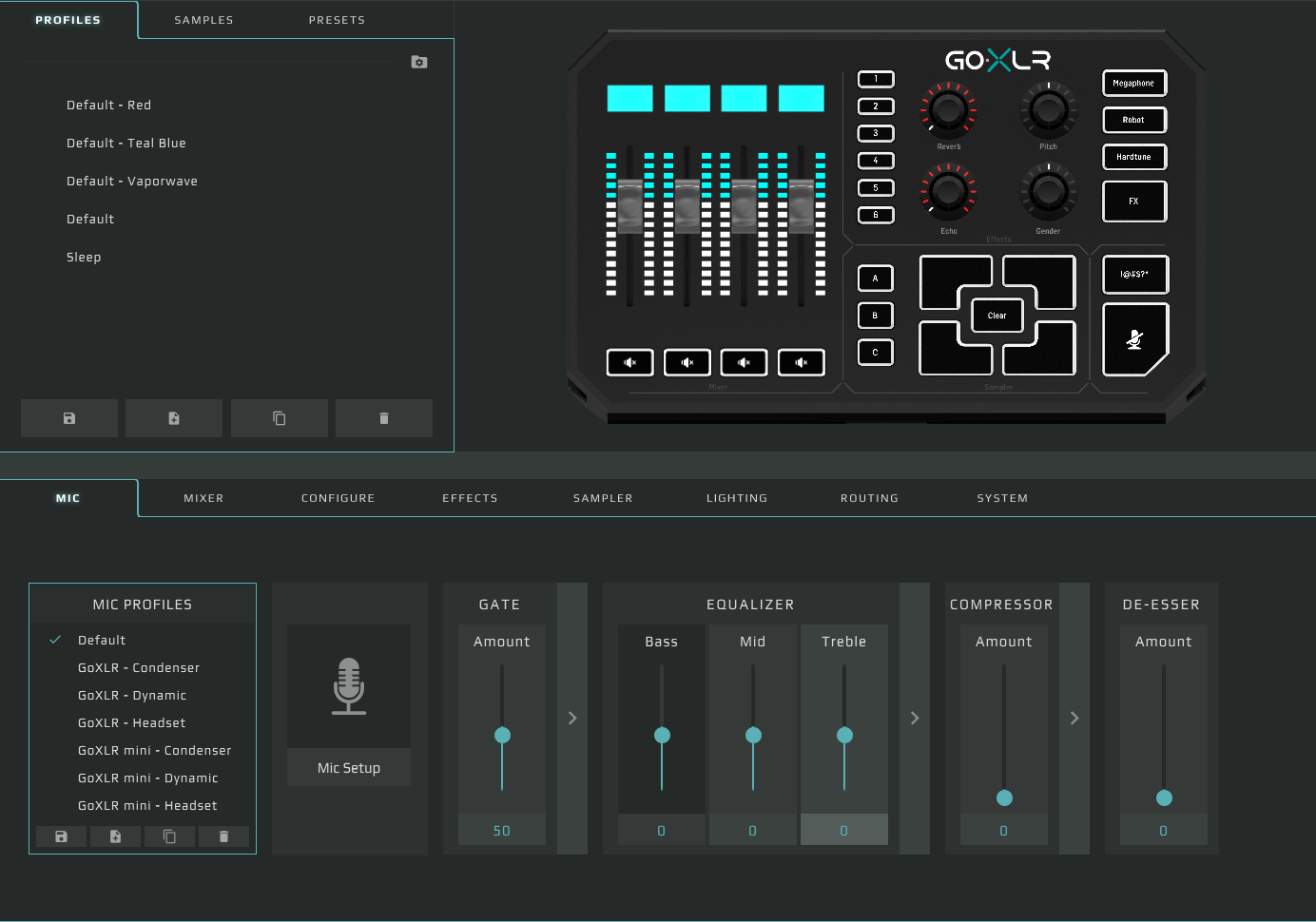
Control your routing, microphone, lighting, faders, and profiles from GoXLR Utility.
Try routing your mic, music, game, and chat in the browser. You can build and save a routing plan without owning a GoXLR.
Try the routing matrixDial in gain, noise gate, compressor, and EQ for a consistent mic level. The available controls depend on your model.
Set up your microphoneOn a connected GoXLR or GoXLR Mini, assign channels to physical faders, choose mute targets, and save the settings to a profile.
Set up your deviceSet the colors on your faders and buttons so you can tell your channels apart at a glance.
See device compatibilityUse the full-size GoXLR’s pitch, gender, reverb, echo, and other built-in voice effects.
Read about voice effectsLoad or record clips on the full-size GoXLR and trigger them from the hardware pads.
Read the sampler guideDEVICE SUPPORT
Both models support core mixing and routing. The full-size GoXLR adds its hardware sampler and voice-effects section.
Get the v1.2.4 ZIP, then follow the setup guide for your desktop.